 Back to the calculator
Missed-Call Revenue Calculator
Help and step-by-step guide · Download the PDF
1. What this tool does
The Missed-Call Revenue Calculator estimates how much money your business could be losing each month when calls go unanswered. You pick your industry (optional), enter four numbers, and unlock your result with your name and email.
Prefer to watch? A 45-second how-to video is at the top of the calculator page.
Note: When you click Show my number, your name, email and the numbers you entered are sent to Scale AI Pros so we can email you your result and the free guide. Your numbers are also remembered in your own browser so they are there next time you visit.
2. Before you start
You need a web browser (computer, tablet or phone), your name and email, and four numbers about your business. If you do not know a number exactly, use your best estimate. You can change the numbers as often as you like.
- Calls per week: check your phone system or call log for a typical week.
- Percent missed: missed calls divided by total calls, as a percent.
- Average job value: your revenue from jobs divided by the number of jobs.
- Close rate: of the calls you answer, the percent that become paid jobs.
3. Quick start
- Open the calculator and choose your industry (optional).
- Check or change the four numbers.
- Enter your name and email, then click Show my number.
- Read Estimated revenue lost per month, then book a free call if you like.
4. Step-by-step
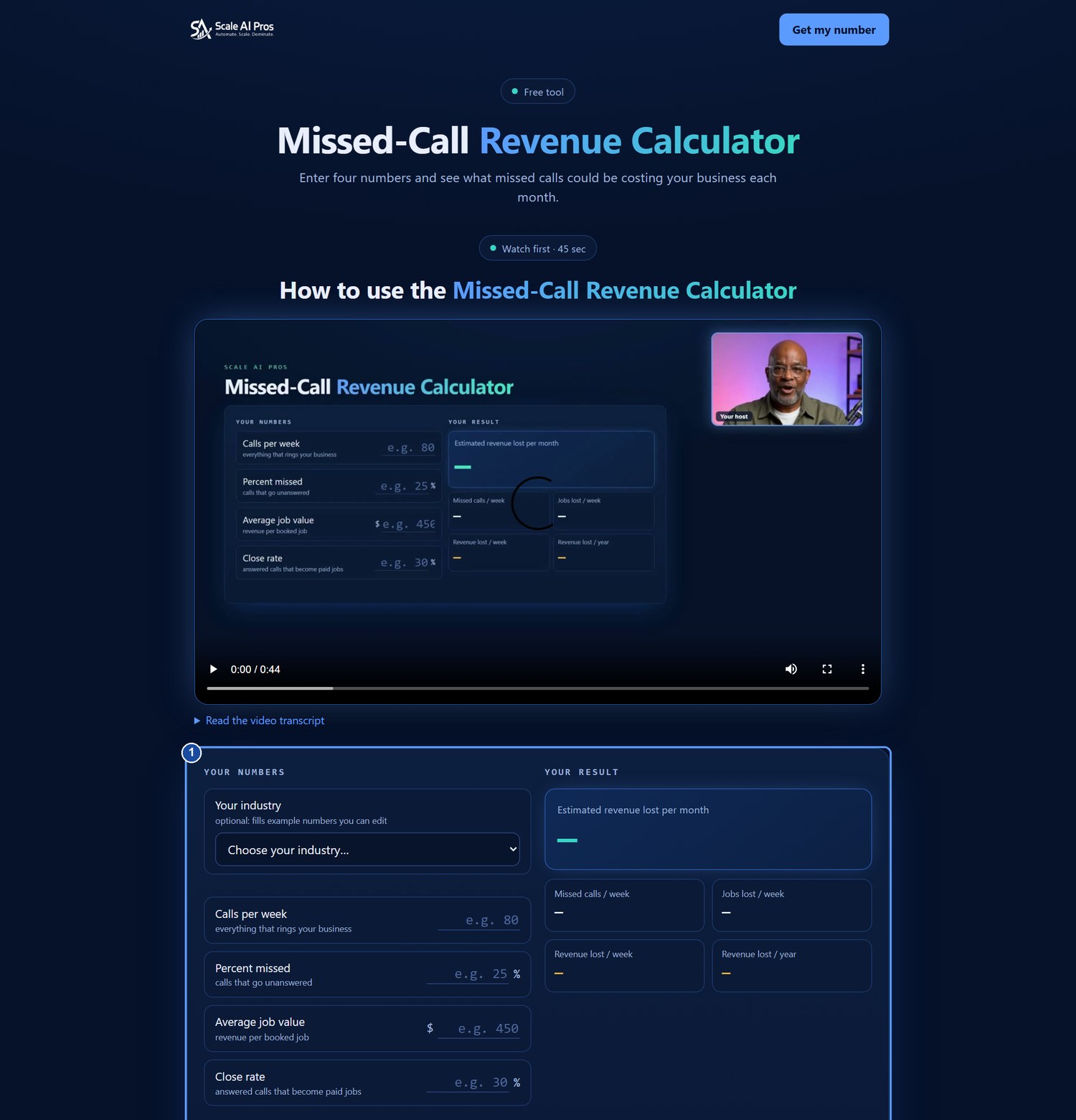
Step 1: Open the calculator
The tool has two sides. Your numbers is on the left and Your result is on the right. Until you fill in all four numbers, the result side shows dashes.
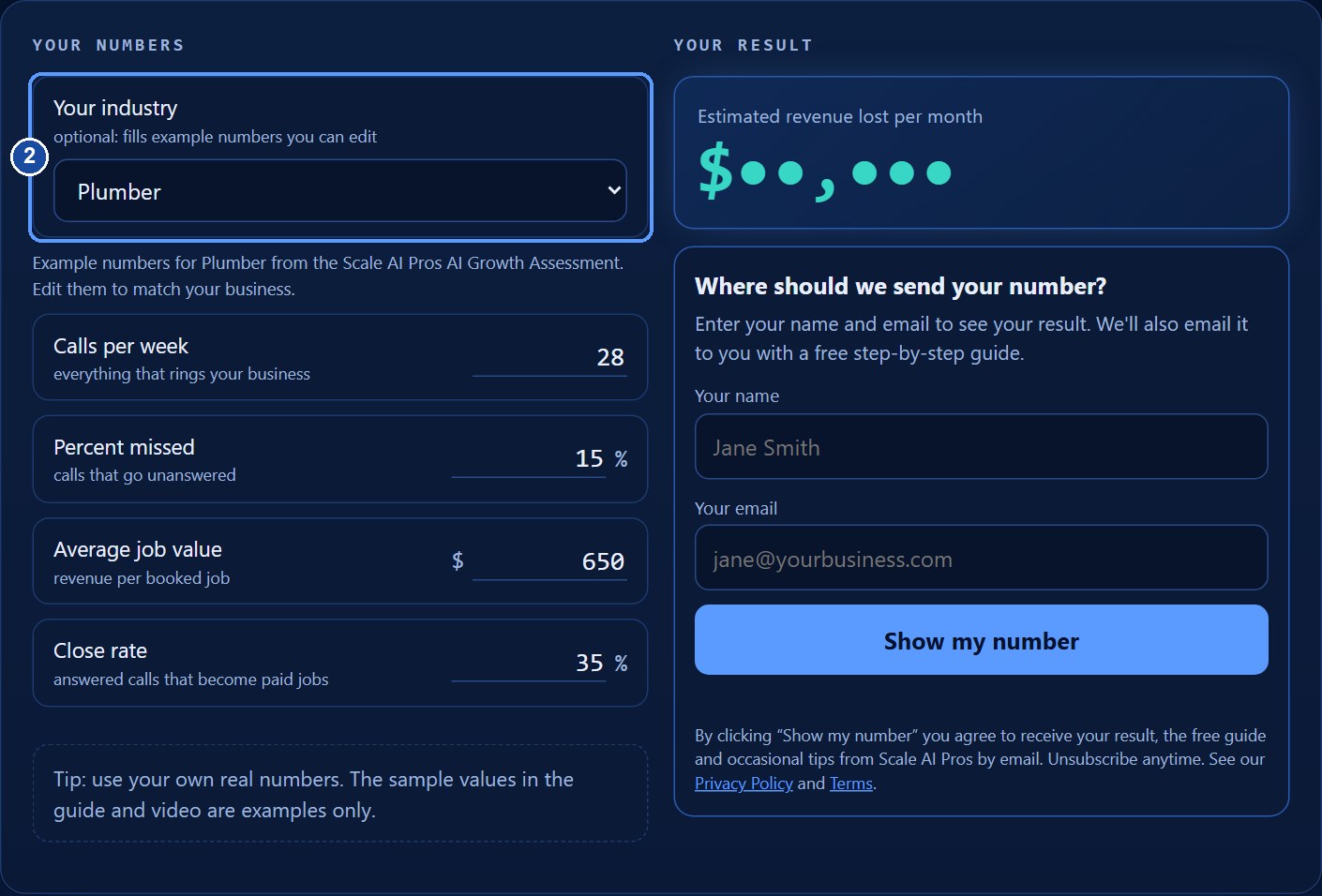
Step 2: Choose your industry (optional)
Open the Your industry list and pick the closest match. The list has 56 industries in groups such as Professional Services, Healthcare & Wellness and Home Services, the same list used in the Scale AI Pros AI Growth Assessment. Choosing one fills in example numbers for that kind of business. They are only a starting point, so you will change them in the next step.
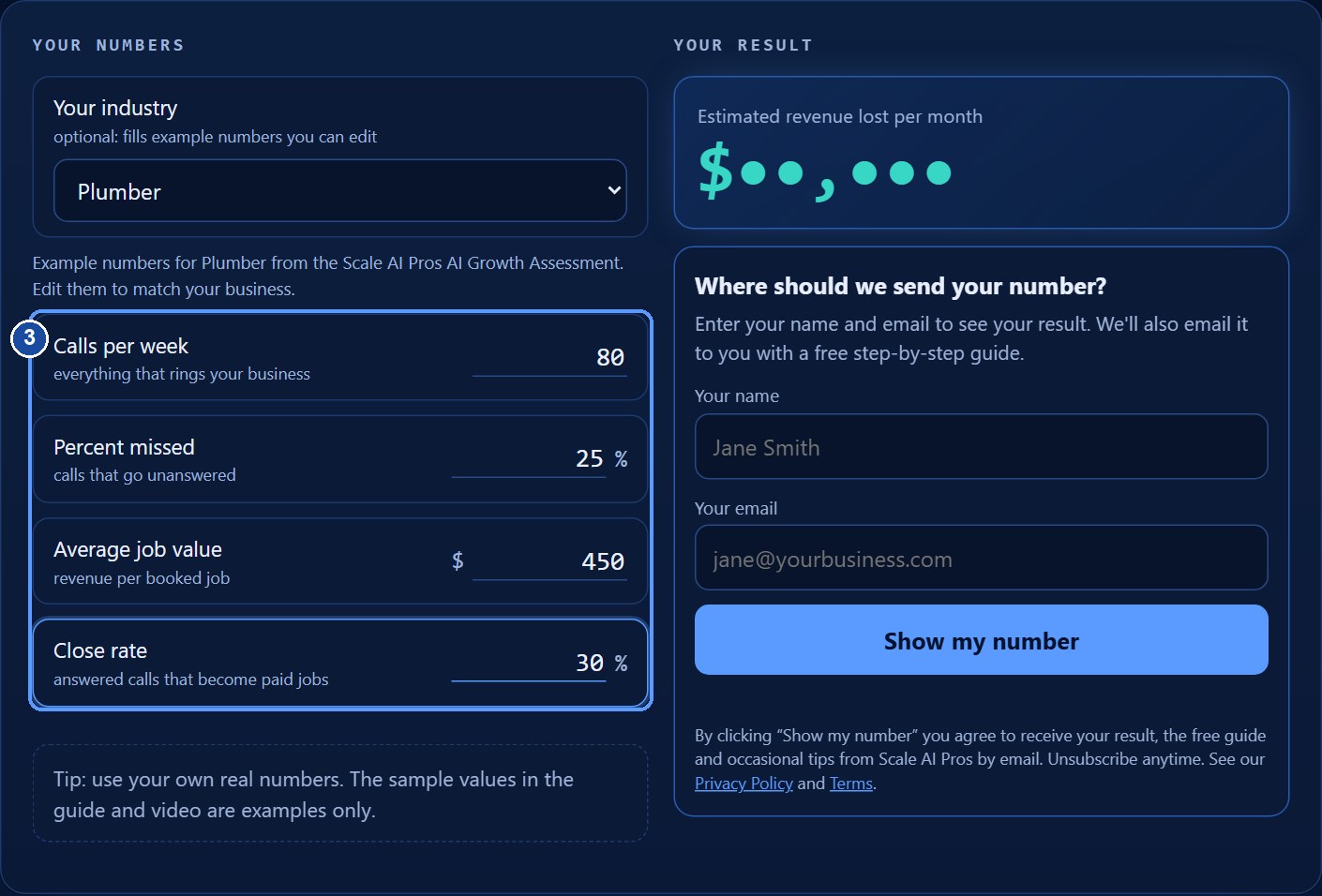
Step 3: Enter your four numbers
Type your own numbers over the examples. In our example we use 80 calls per week, 25 percent missed, 450 dollars per job and a 30 percent close rate. You can type the numbers without the $ or % signs.
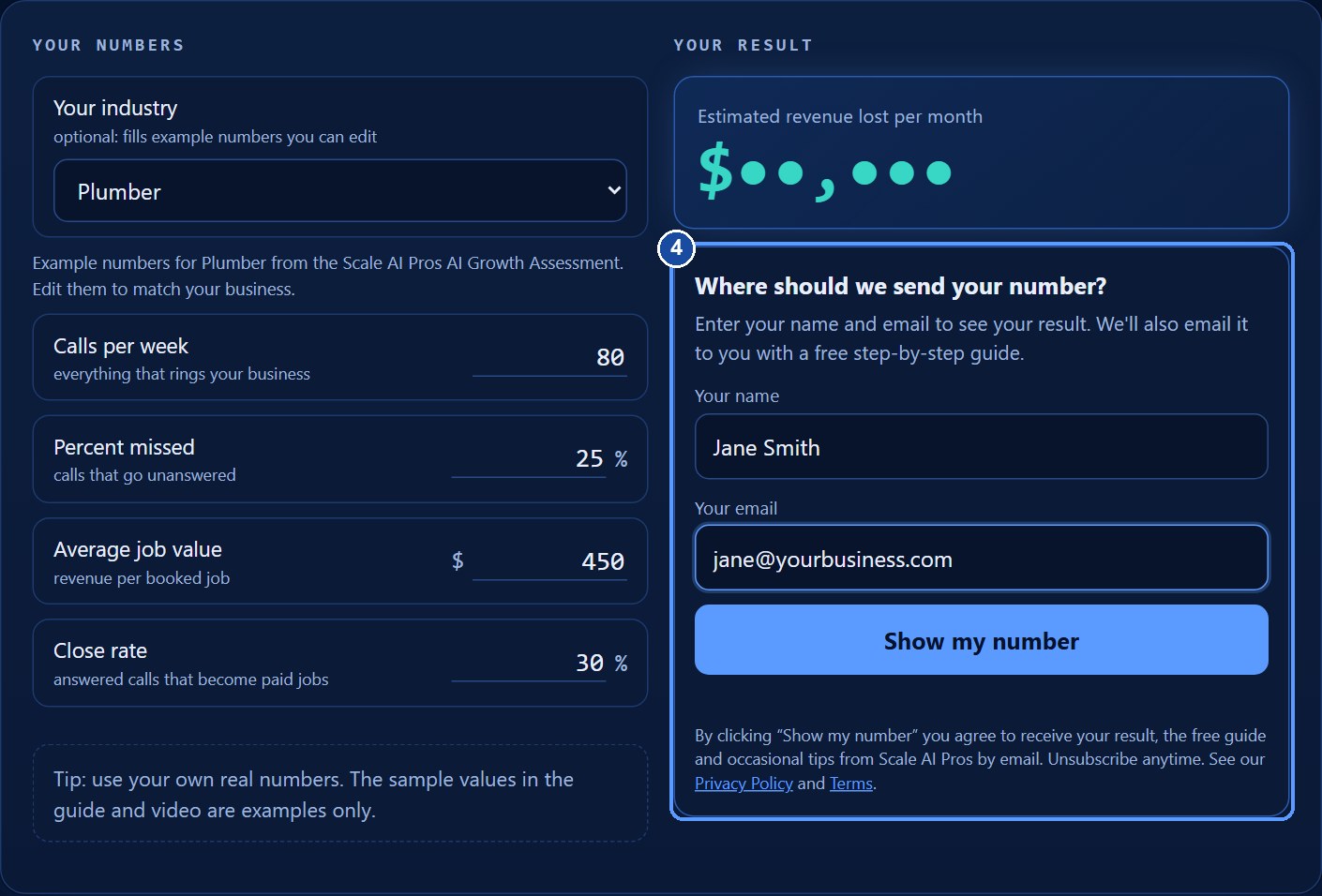
Step 4: Unlock your number
Once all four numbers are in, your result is locked and a short form appears. Enter your name and email, then click Show my number. We use them to email you your result and the free guide. You can unsubscribe at any time, and the Privacy Policy and Terms are linked under the button.
Step 5: Read your result
Your result appears right away. The numbered badges in the picture match this list:
- Estimated revenue lost per month: the main result.
- Missed calls per week: calls that went unanswered.
- Jobs lost per week: missed calls that would have become paid jobs.
- Revenue lost per week: jobs lost times your average job value.
- Revenue lost per year: the weekly figure over 52 weeks.
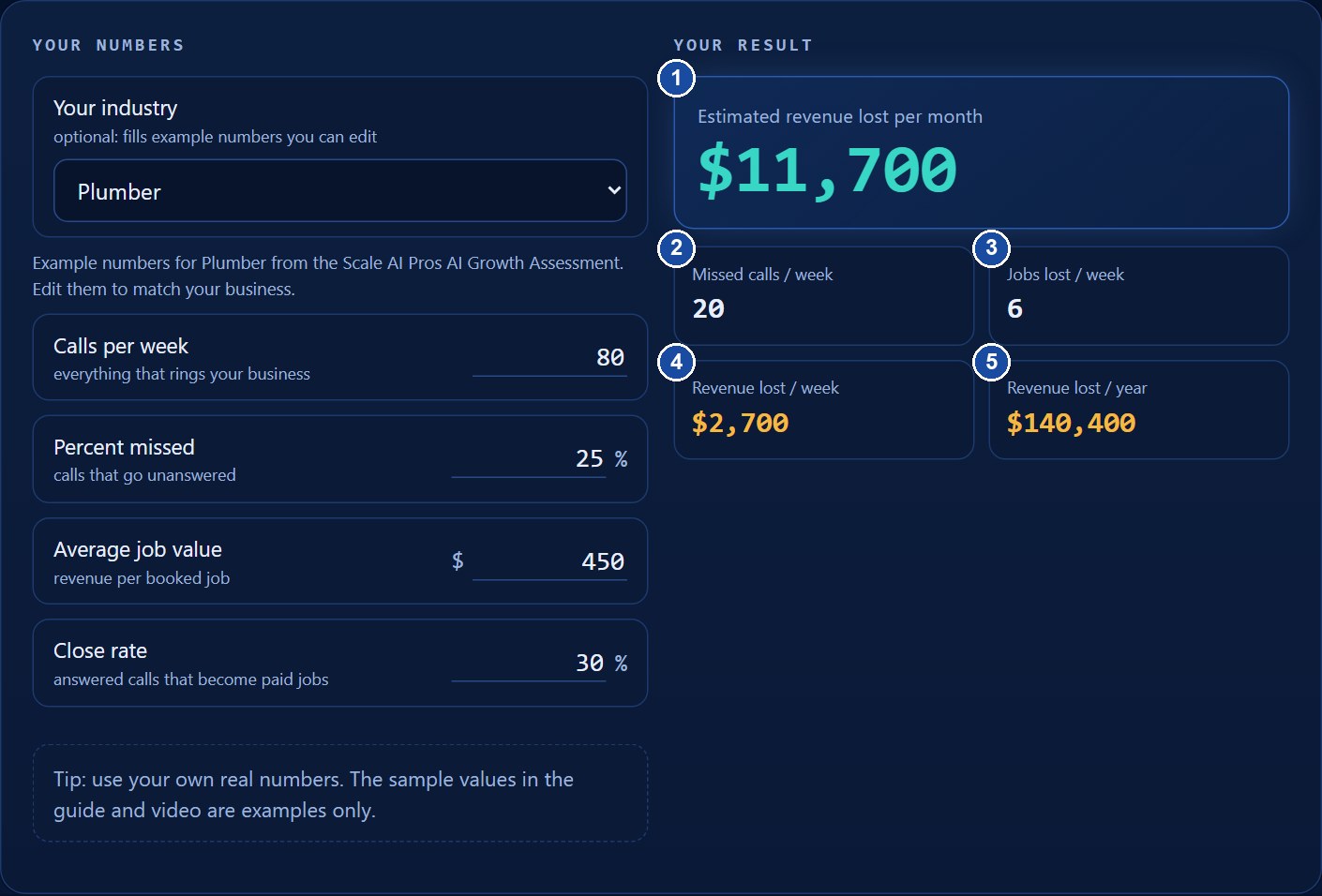
Note: The numbers shown (80 calls, 25% missed, $450, 30%) are examples only. Use your own numbers for a meaningful estimate.
Step 6: Book a call, get the guide, or save your result
Below the calculator you will see a headline with your number and three things you can do. Download the free guide gives you this step-by-step guide as a PDF. Save my result as PDF opens your browser's print window so you can save a one-page copy of your result. Under them, a booking calendar lets you pick a time for a free strategy call; your name and email are already filled in.

5. Understanding your results
Here is exactly how each result is worked out, with the example numbers:
- Missed calls per week = calls per week x percent missed. 80 x 25% = 20.
- Jobs lost per week = missed calls x close rate. 20 x 30% = 6.
- Revenue lost per week = jobs lost x average job value. 6 x $450 = $2,700.
- Revenue lost per month = revenue lost per week x 52 / 12. $2,700 x 52 / 12 = $11,700.
- Revenue lost per year = revenue lost per week x 52 = $140,400.
A year has 52 weeks and 12 months, so an average month is about 4.33 weeks. That is why the monthly figure uses 52 divided by 12.
6. Tips
- Use your own real numbers, not the examples.
- Try a lower percent missed to see how much a change could matter.
- If you pick an industry, remember the numbers are examples. Replace them with yours.
- Use Save my result as PDF to share your result with your team.
7. Troubleshooting and FAQ
The result shows dots or dashes
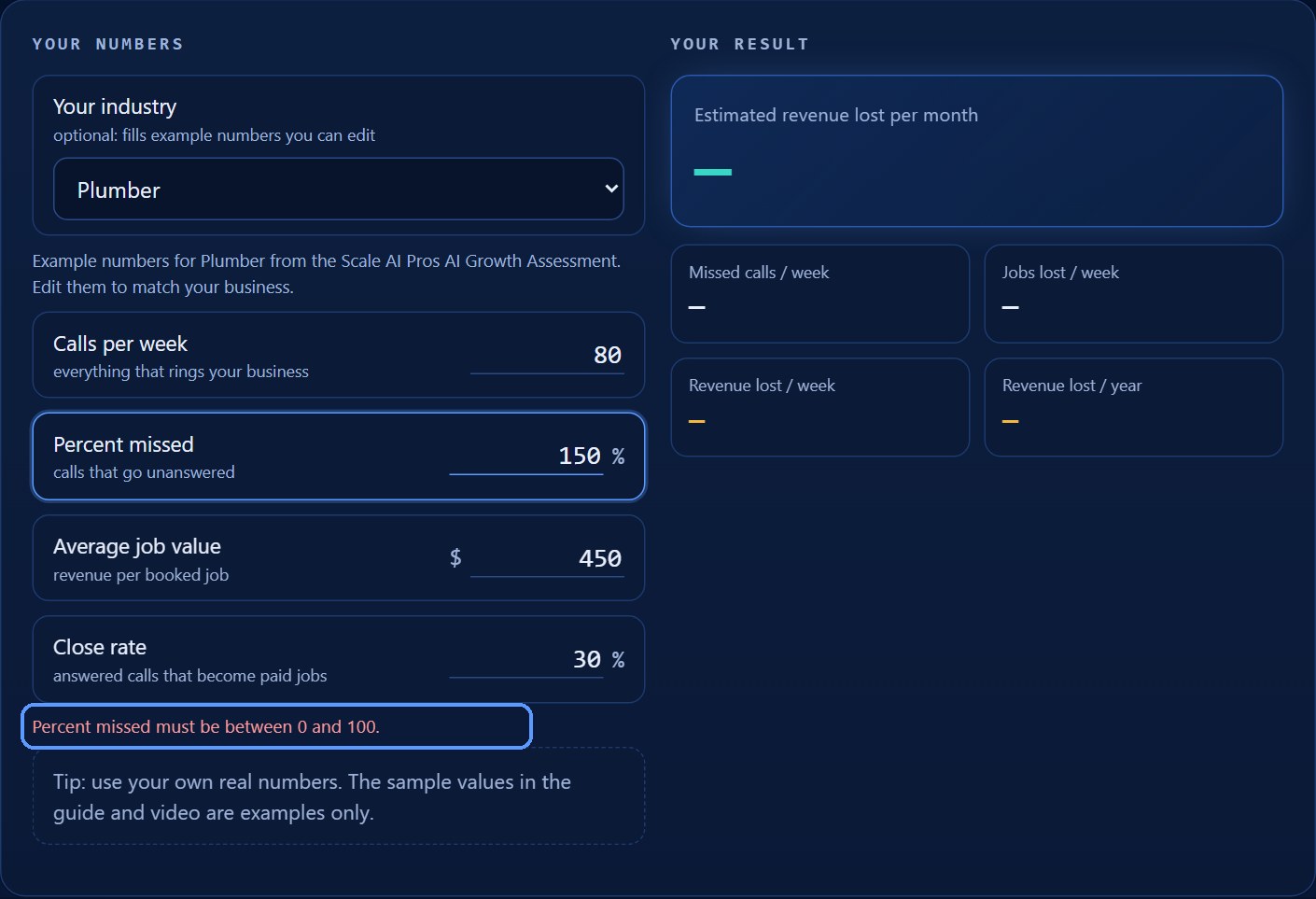
Dashes mean one or more of the four boxes is empty. Dots mean your number is ready but locked: enter your name and email and click Show my number.
I see a red message about 0 and 100
Percent missed and close rate must be between 0 and 100. Fix the number and the message disappears.
Why do you ask for my name and email?
So we can email you your result and the free guide, and follow up about how an AI receptionist could help. You can unsubscribe at any time from any email.
I did not get the email
Check your spam or promotions folder and add Scale AI Pros to your contacts. You can always download the guide and save your result from the page.
Does it remember my numbers?
Yes, in your own browser, so your number is waiting when you come back. If you clear your browser data, you will be asked again.
The booking calendar does not load
Refresh the page, or try a different browser. You can also reply to the email we send you to set up a time.
Can I type commas, dollar signs or percent signs?
Yes. The calculator ignores those symbols and reads only the digits and decimal point.
Is the result a guarantee?
No. It is an estimate based only on the numbers you enter. Real results depend on your business.
8. Glossary
- Missed call: a call that rings your business and is not answered.
- Close rate: the share of answered calls that become paid jobs.
- Average job value: the typical revenue from one booked job.
- Estimate: a calculated guess based on the numbers you provide.
9. Where to get help
Visit www.ScaleAIPros.com for more tools and help. See the Privacy Policy at scaleaipros.com/privacy and the Terms at scaleaipros.com/terms. Estimate only. Results depend on your own numbers; not a guarantee.